
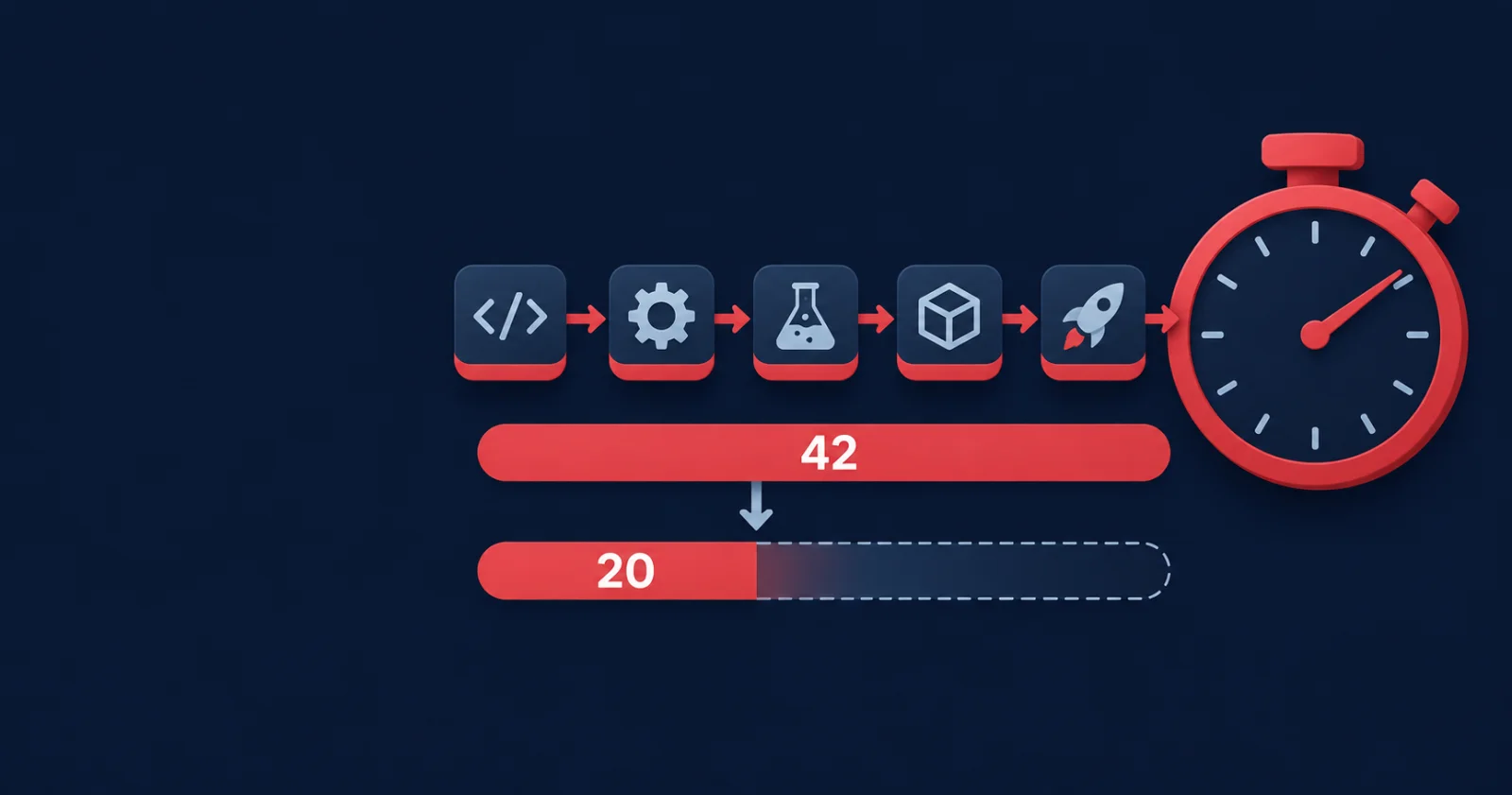
A production deploy of SSW Rules took 42 minutes. Now it takes 20, and the site is live after 17. Along the way we also stopped deploys from replacing real rules with "NOT FOUND" pages.
SSW Rules is our knowledge base of best practices for software development - about 3,900 rules and 240 categories. It's Next.js and TinaCMS, and every deploy prerenders all 4,211 pages before they go live.
A 42-minute deploy is annoying, but the wait wasn't the real cost. When two builds ran at the same time, TinaCloud throttled the requests and a deploy could take 50 minutes or more. Worse, some deploys shipped a NOT FOUND page in place of a rule, and it stayed there until the next deploy.
Every change was small. All of it is tracked in SSW.Rules #2801.
Measure before you guess
Everyone (me included) assumed the slow part was building 4,000 pages. So the first job was to time every step of a real production deploy, from the GitHub Actions step times and the Docker build log.
The page build was less than a third of the deploy. Here is a deploy that already had the first two fixes below, next to the same deploy after the third:
| Step | Before (min) | After (min) |
|---|---|---|
| Wait for the infrastructure job | 2.8 | 0.1 |
| Checkout and setup | 2.3 | 2.2 |
| Disk cleanup | 1.7 | 0 |
| Docker install and compile | 5.0 | 3.2 |
| Static page generation | 6.7 | 6.7 |
| Image export and push | 5.6 | 0.9 |
| Post-build steps | 1.6 | 0.5 |
| Deploy and slot swap | 3.5 | 3.1 |
| Sitemap crawl | 12.3 | 3.4 |
| Total | 41.4 | 20.0 |
The crawl and the image push gave back most of the time. Page generation didn't change at all in that step - it had already come down earlier.
Fix 1: stop the NOT FOUND pages
Reliability came first. A fast deploy that breaks 20 rules isn't an improvement.
During a build, each rule page asks TinaCloud for its content. When TinaCloud is busy, it answers with "Throughput exceeds the current capacity of your table or index". Our page code saw no rule, so it rendered a NOT FOUND page - with HTTP status 200 and a one-year cache period. The sitemap crawl saw a 200 and was happy. On 2026-11-12, 20 rules showed NOT FOUND in production.
A retry was the obvious fix, and a simple retry didn't work. Two caches were storing the error:
- The Tina client disk cache. In a CI build, the Tina client stores each answer on disk. A request with
errorPolicy: "all"stores the answer even when it has errors, so the retry just read the stored error back. - The Next.js build-time fetch cache. In our static build, Next.js also cached fetch responses with status 200 - and TinaCloud sends its throttling error with status 200. You can guess the rest.
The fix (#2802) makes up to 5 attempts at a throttled request, with 4 retries after about 1, 2, 4 and 8 seconds (plus a little jitter). Each retry adds a header with a new value, so it can't match anything a cache stored. A rule that really doesn't exist still gets a NOT FOUND page. Any other content error now fails the build, instead of publishing a NOT FOUND page.
Since then, every deploy has had 0 NOT FOUND pages. In two test builds that TinaCloud throttled, the one without the fix got 254 throttling errors and shipped 90 NOT FOUND pages. The one with it got 89 and shipped none.
Fix 2: read the rule list from a file
Before Next.js can build the pages, it needs to know which pages exist. generateStaticParams got that list from TinaCloud: 20 requests of 200 rules each, plus a category request that failed with a 500 in every build log I checked. That took 80 to 120 seconds.
It also had a nasty quiet failure. If one of the 20 requests failed, the list just ended there. The build skipped every rule after that point, and the sitemap didn't list them either.
The build already has the content repository on disk, so it doesn't need TinaCloud for this. A script that already validates the rule categories now also writes rule-folders.json (#2803), and generateStaticParams reads it. If the file is missing, as it can be in local development, it falls back to TinaCloud.
The same week, a dependency update took Next.js from 16.2.4 to 16.4.6. Together, the two changes took static page generation from 12.1 minutes to 6.7. I can't tell you how much each one contributed, because they shipped in the same release.
Fix 3: stop the workflow from waiting
The pages now built in under 7 minutes, and the deploy still took 41. Most of the time was in the workflow around the build. One pull request (#2806) changed four things:
- Build during the infrastructure job. The Bicep deployment took about 2.6 minutes, and the image build sat waiting for it. They don't depend on each other until the deploy step, so now they run side by side, with a check before the deploy that the registry exists.
- Only clean the disk when it's needed. An "aggressive disk cleanup" step deleted preinstalled tools to make space, every run. The runner had 79 GB free. Now it only runs below 30 GB.
- Send less to Docker. The Docker build context was 3.33 GB, because it included the whole content repository with every rule image. The build only needs the MDX and JSON. A
.dockerignorechange took it to 31 MB. - Crawl faster. After each deploy, a crawl requests every URL in the sitemap. It used small batches with a delay, and took 12 minutes. Batches of 20 with no delay take 3.4. Rule pages have a 6-hour revalidation period, so straight after a deploy the crawl only reads freshly built pages and doesn't trigger re-renders.
We also deleted a post-build cleanup step. The runner is thrown away when the job ends anyway.
The surprise: a 3.2 GB image
I expected the smaller Docker context to save about 30 seconds of upload. It also took 4 minutes off the image push, which I hadn't planned at all.
Before the change, .next/standalone was 3.2 GB and pushing the image took 4.4 minutes. After it, the folder was 1.7 GB and the push took 22 seconds.
My best explanation is Next.js output file tracing. Some of our server code builds file paths from process.cwd() - for example a route that serves rule images during local development, and just returns 404 in production. File tracing can't know which file code like that will read, so it seems to have copied the project folder into the standalone output, with the whole content repository in it, images and all. The image also had our source files, pnpm-lock.yaml and tsconfig.tsbuildinfo in it, which fits. I haven't proven it file by file.
Either way, when the images left the Docker context, they left the image too. I pulled the new image and ran du over it: 1.5 GB of the remaining 1.7 GB is prerendered pages (4,181 HTML files in .next/server/app, a few short of the 4,211 routes the build log counts), and the content folder is now 22.5 MB of MDX. An outputFileTracingExcludes entry will stop the images from sneaking back in.
If you ship Next.js in Docker, put du -sh .next/standalone in your build log and look at it once in a while.
The results
| Measure | Before | After |
|---|---|---|
| Whole deploy, with the crawl | 42 min | 20 min |
| Site live after | about 30 min | 17 min |
| NOT FOUND pages in a throttled test build | 90 | 0 |
| Docker build context | 3.33 GB | 31 MB |
.next/standalone | 3.2 GB | 1.7 GB |
There's a bonus that's easy to miss. If someone edits a rule while a deploy is running, a check at the end starts a second full deploy so the site gets the newest content. A 20-minute window gets hit by that a lot less often than a 42-minute one.
What's next
The next step is about reliability more than speed: build the pages from the content files on disk instead of TinaCloud. TinaCMS supports this with tinacms build --content=local -c "next build". Tina indexes the MDX, starts a local GraphQL server and runs next build against it. The generated client only uses that local server while the build runs, so the live site still reads TinaCloud. With no TinaCloud requests in the build, two builds can't throttle each other any more.
Fun fact: our build script already said --content=local. Without the -c, Tina started its local server, stopped it again, and then next build read everything from TinaCloud anyway.
What I learned
- Measure first. The slow part wasn't where we guessed.
- Look for caches that store errors. A retry that reads a stored error isn't a retry.
- Errors with status 200 hide. Our NOT FOUND pages and TinaCloud's throttling errors were both 200s, so nothing noticed them.
- Question every workflow step. Two cleanup steps cost 3 minutes per deploy and did nothing useful.
- Look inside your image. Ours had every rule image in it. Keeping the images out of the Docker context made the standalone output 1.5 GB smaller.